maintenance-page example
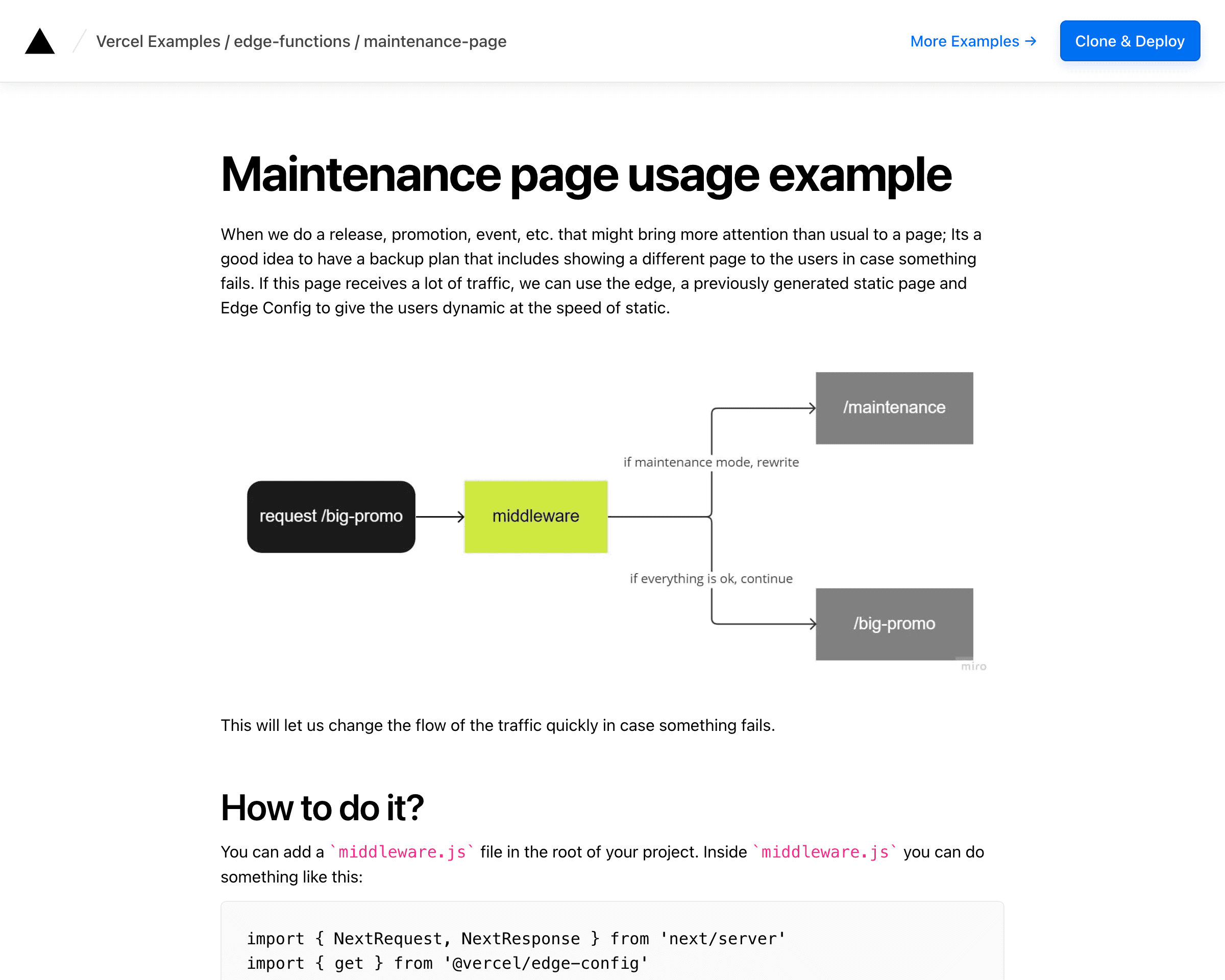
This example shows how to implement a maintenance page on the edge
Demo
https://edge-maintenance-page.vercel.app
How to Use
You can choose from one of the following two methods to use this repository:
One-Click Deploy
Deploy the example using Vercel:
Clone and Deploy
Execute create-next-app with pnpm to bootstrap the example:
Set up environment variables
Copy the .env.example file in this directory to .env.local (which will be ignored by Git):
This example requires you to set up an Edge Config and store its connection string in the EDGE_CONFIG environment variable. Fill the Edge Config you create with this content:
Next, run Next.js in development mode:
Deploy it to the cloud with Vercel (Documentation).

